 Related posts
sábado, 25 de abril de 2020

Workshop And Presentation Slides And Materials
All of our previous workshop and presentation slides and materials are available in one location, from Google Drive.
From now on, we are only going to keep the latest-greatest version of each talk/workshop and announce changes on Twitter.
More articles
Hacking All The Cars - Part 1
A step by step lab based mini course on analyzing your car network
I wanted to learn about hacking cars. As usual I searched around the internet and didn't find any comprehensive resources on how to do this, just bits and pieces of the same info over and over which is frustrating. I am not a car hacking expert, I just like to hack stuff. This mini course will run in a fully simulated lab environment available from open garages, which means in 5 minutes from now you can follow along and hack cars without ever bricking your girlfriends car. Since you obviously wouldn't attack your own Lambo, totally use your girlfriends Prius.
Below are the topics covered in this blog series so you can decide if you want to read further:
Whats covered in this car hacking mini course:
Setting up Virtual Environments for testing
Sniffing CAN Traffic
Parsing CAN Traffic
Reverse Engineering CAN IDs
Denial of service attacks
Replaying/Injecting Traffic
Coding your own CAN Socket Tools in python
Targeted attacks against your cars components
Transitioning this to attacking a real car with hardware
The first thing we are going to do before we get into any car hacking specifics such as "WTF is CAN?", is get your lab up and running. We are going to run a simple simulated CAN Bus network which controls various features of your simulated car. Its better to learn by doing then sit here and recite a bunch of car network lingo at you and hope you remember it.
I also don't want you to buy a bunch of hardware and jack into your real car right away. Instead there are options that can get you started hacking cars RIGHT NOW by following along with this tutorial. This will also serve to take away the fear of hacking your actual car by understanding what your doing first.
Video Playlist:
Setting up your Lab:
First things first, set yourself up with an Ubuntu VMware install, and load it up. Optionally you could use a Kali Iinux VM, however, that thing drives me nuts with copy paste issues and I think Kayak was giving me install problems. So support is on you if you would like to use Kali. However, I do know Kali will work fine with OpenGarages virtual car.. So feel free to use it for that if you have it handy and want to get started right away.
Install PreReq Libraries:
Once you load this up you are going to want to install CAN utilities and pre-requisite libraries. This is really easy to do with the following Apt-get commands:
sudo apt-get update
sudo apt-get install libsdl2-dev libsdl2-image-dev can-utils
Then we are going to pull down the ICSimulator repo:
git clone https://github.com/zombieCraig/ICSim.git
Starting the simulator:
Once this is done we can startup the simulator by changing directories to the downloaded repo and running the following 2 commands, which will setup a virtual CAN interface and a simulator GUI Cluster:
Run the setup Script to get the vcan0 interface up:
root@kali:~/ICSim# ./setup_vcan.sh
root@kali:~/ICSim# ./icsim vcan0
On a new terminal tab we will open up our simulators controller with the following command,
root@kali:~/ICSim#./controls vcan0
Note: that the controller must be the in-focus GUI screen to send keyboard commands to the simulator.


How to Use the Simulator:
The simulator has a speedometer with Right and Left turn signals, doors etc. Below are the list of commands to control the simulator when the Control panel is in focus. Give them each a try and note the changes to the simulator.
Up and Down keys control the gauges clusters speedometer
Left and Right keys Control the Blinkers
Right Shift + X, A or B open doors
Left Shift + X, A or be Close doors
Try a few of the above commands for example Right Shift +X and you will see the interface change like so, notice the open door graphic:
Awesome, thanks to OpenGarages you now you have your very own car to hack
Notice in the setup commands above we used a VCan0 interface. Run Ifconfig and you will now see that you indeed have a new network interface that speaks to the CAN network over VCan0.
ficti0n@ubuntu:~/Desktop/ICSim$ ifconfig vcan0
vcan0 Link encap:UNSPEC HWaddr 00-00-00-00-00-00-00-00-00-00-00-00-00-00-00-00
UP RUNNING NOARP MTU:16 Metric:1
RX packets:558904 errors:0 dropped:0 overruns:0 frame:0
TX packets:558904 errors:0 dropped:0 overruns:0 carrier:0
collisions:0 txqueuelen:1
RX bytes:3663935 (3.6 MB) TX bytes:3663935 (3.6 MB)
Car networks run on a variety of protocols most prevalent being CAN. You can think of a CAN Bus like an old school networking hub where everyone can see everyone elses traffic. This is true to some extent although you may not see all of the cars traffic if its not connected to that particular bus your plugged into. You can think of CAN traffic kind of like UDP in that its send and forget, the main difference being parts of the CAN bus network don't actually have addresses and everything runs off arbitration IDs and priorities. Thats enough background to get you doing rather then reading.
With a little knowledge out of the way lets check if we can see our CAN traffic from our virtual car via the CanDump utility, which you installed as part of CanUtils package above. Using the following command on the vcan0 interface our simulator uses you can view a stream of traffic:
With a little knowledge out of the way lets check if we can see our CAN traffic from our virtual car via the CanDump utility, which you installed as part of CanUtils package above. Using the following command on the vcan0 interface our simulator uses you can view a stream of traffic:
ficti0n@ubuntu:~/Desktop/ICSim$ candump vcan0

Above we can see a bunch of CAN frames, and if we perform actions on the vehicle we will see changes to data values in the CanDump output. However this may happen very fast, and we may not be able to see if for example we unlocked our simulators door. This is because things are changing constantly in the cars IDLE state. One single value changing may not stand out enough for us to take notice or may scroll so fast we cant see it.
Capture and Replay CAN Actions:
One option would be to perform an action and replay it, we should see the actions happen again in the replay if the traffic for the action we recorded is on the same bus network our device is plugged into. There are loads of networks within a car and its not guaranteed our network tap for example an OBD2 port plugin is connected to the same network as door we opened. Or the door may not be connected to the network at all depending on your car and its age or how its configured.
Replaying dumps with CanPlayer:
Another useful tool included with CanUtils package is CanPlayer for replaying traffic. If the functionality we are trying to capture is on the same Bus as the adaptor plugged into the car, or in this case our Virtual CAN interface, we can use CanDump to save traffic to a file. We then use CanPlayer to replay the traffic on the network. For example lets run CanDump and open a door and then replay the functionality with CanPlayer.
Lab 1 Steps:
- Run CanDump
- Right Shift + X to open a door
- Cancel CanDump (ctrl+c)
- Left Shift + X to close the door
- Run can player with the saved dump and it will replay the traffic and open the door
Recording the door opening: (-l for logging)
ficti0n@ubuntu:~/Desktop/ICSim$ candump -l vcan0
Replaying the CanDump file: (use the file your can dump created)
ficti0n@ubuntu:~/Desktop/ICSim$ canplayer -I candump-2018-04-06_154441.log
Nice, so if all went well you should see that your door is now open again. If this did not happen when attacking a real car, just try to replay it again. CAN networks are not like TCP/IP, they are more like UDP in that you send out your request and its not expecting a response. So if it gets lost then it gets lost and you have to resend. Perhaps something with higher priority on the network was sending at the time of your replay and your traffic was overshadowed by it.

Interacting with the Can Bus and Reversing Traffic:
So thats cool, but what about actually understanding what is going on with this traffic, CanDump is not very useful for this, is scrolls by to quickly for us to learn much from. Instead we can use CanSniffer with colorized output to show us the bytes within packets that change. Below is an example of CanSniffer Traffic:
To startup can sniffer run the following:
ficti0n@ubuntu:~/Desktop/ICSim$ cansniffer -c vcan0

You will see 3 fields, Time, ID and Data. Its pretty easy to figure out what these are based on thier name. The most important part for our usage in this blog are the ID and the Data fields.
The ID field is the frame ID which is loosely associated with the device on the network which is effected by the frame being sent. The ID to also determines the priority of the frame on the network. The lower the number of the CAN-ID the higher priority it has on the network and more likely it will be handled first. The data field is the data being sent to change some parameter like unlocking a door or updating output. You will notice that some of the bytes are highlighted RED. The values in red are the values that are changing during the idle state you are currently in.
The ID field is the frame ID which is loosely associated with the device on the network which is effected by the frame being sent. The ID to also determines the priority of the frame on the network. The lower the number of the CAN-ID the higher priority it has on the network and more likely it will be handled first. The data field is the data being sent to change some parameter like unlocking a door or updating output. You will notice that some of the bytes are highlighted RED. The values in red are the values that are changing during the idle state you are currently in.
Determine which ID and Byte controls the throttle:
So with the terminal sniffing window open put the simulator and the controller into the foreground, with the controller being the window you have clicked and selected. Pay attention to the CanSniffer output while hitting the UP ARROW and look for a value that was white but is now Red and increasing in value as the throttle goes up. This might take you a few minutes of paying attention to whats going on to see.
The following 2 pictures show ID 244 in the IDLE state followed by pressing the up button to increase the speed. You will notice a byte has turned red and is increasing in value through a range of HEX values 0-F. It will continue to enumerate through values till it reaches its max speed.


The byte in ID 244 which is changing is the value while the throttle is engaged, so 244 associated in some way with the increasing speed. The throttle speed is a good value to start with as it keeps increasing its value when pressed making it easier to spot while viewing the CanSniffer output.
Singling out Values with Filters:
If you would like to single out the throttle value then click the terminal window and press -000000 followed by the Enter key which will clear out all of the values scrolling. Then press +244 followed by the Enter key which will add back the throttle ID. You can now click the controller again and increase the speed with your Up arrow button without all the noise clouding your view. You will instead as shown below only have ID 244 in your output:

To get back all of the IDs again click the terminal window and input +000000 followed by the Enter key. Now you should see all of the output as before. Essentially 000000 means include everything. But when you put a minus in front of it then it negates everything and clears your terminal window filtering out all values.
Determine Blinker ID:
Now lets figure out another ID for the blinkers. If you hit the left or right arrow with the controls window selected you will notice a whole new ID appears in the list, ID 188 shown in the picture below which is associated with the blinker.

This ID was not listed before as it was not in use within the data output until you pressed the blinker control. Lets single this value out by pressing -000000 followed by +188. Just like in the throttle example your terminal should only show ID 188, initially it will show with 00 byte values.
As you press the left and the right blinker you will see the first Byte change from 00 to 01 or 02. If neither is pressed as in the screenshot above it will be 00. Its kind of hard to have the controller in focus and get a screenshot at the same time but the ID will remain visible as 00 until it times out and disappears from the list when not active. However with it filtered out as above you can get a better view of things and it wont disappear.
Time for YOU to do some Protocol Reversing:
This lab will give you a good idea how to reverse all of the functionality of the car and associate each action with the proper ID and BYTE. This way you can create a map of intended functionality changes you wish to make. Above we have done a few walk throughs with you on how to determine which byte and ID is associated with an action. Now its time to map everything out yourself with all the remaining functionality before moving on to attacking individual components.
Lab Work Suggestion:
- Take out a piece of paper and a pencil
- Try unlocking and locking doors and write down the ID which controls this action (remember your filters)
- Try unlocking each door and write down the BYTES needed for each door to open
- Try locking each doors and what Bytes change and what are their values, write them down
- Do the same thing for the blinkers left and right (Might be different then what I did above)
- What ID is the speedometer using? What byte changes the speed?
Attacking Functionality Directly:
With all of the functionality mapped out we can now try to target various devices in the network directly without interacting with the controllers GUI. Maybe we broke into the car via cellular OnStar connection or the center console units BLE connection which was connected to the CAN network in some way.
After an exploit we have direct access to the CAN network and we would like to perform actions. Or maybe you have installed a wireless device into an OBD2 port under the dashboard you have remote access to the automobile.
After an exploit we have direct access to the CAN network and we would like to perform actions. Or maybe you have installed a wireless device into an OBD2 port under the dashboard you have remote access to the automobile.
Using the data from the CAN network reversing lab above we can call these actions directly with the proper CAN-ID and Byte. Since we are remote to the target we can't just reach over and grab the steering wheel or hit the throttle we will instead send your CAN frame to make the change.
One way we can do this is via the CanSend utility. Lets take our information from our lab above and make the left turn signal flash with the following ID 188 for the turn signal by changing the first byte to 01 indicating the left signal is pressed. CanSend uses the format ID#Data. You will see this below when sending the turn signal via CanSend.
ficti0n@ubuntu:~/Desktop/ICSim$ cansend vcan0 188#01000000

You should have noticed that the left signal flashed. If not pay more attention and give it another try or make sure you used the correct ID and changed the correct byte. So lets do the same thing with the throttle and try to set the speed to something with ID 244 that we determined was the throttle.
ficti0n@ubuntu:~/Desktop/ICSim$ cansend vcan0 244#00000011F6
My guess is that nothing happened because its so fast the needle is not going to jump to that value. So instead lets try repeating this over and over again with a bash loop which simply says that while True keep sending the throttle value of 11 which equates to about 30mph:
ficti0n@ubuntu:~/Desktop/ICSim$ while true; do cansend vcan0 244#00000011F6; done

Yes thats much better, you may notice the needle jumping back and forth a bit. The reason the needle is bouncing back and forth is because the normal CAN traffic is sent telling the car its actually set to 00 in between your frames saying its 30mph. But it worked and you have now changed the speed the car sees and you have flashed the blinker without using the cars normal blinker controls. Pretty cool right?
Monitor the CAN Bus and react to it:
Another way to handle this issue is to monitor the CAN network and when it sees an ID sent it will automatically send the corresponding ID with a different value.. Lets give that a try to modify our speed output by monitoring for changes. Below we are simply running CanDump and parsing for ID 244 in the log output which is the throttle value that tells the car the speed. When a device in the car reports ID 244 and its value we will immediately resend our own value saying the speed is 30mph with the value 11. See below command and try this out.
ficti0n@ubuntu:~/Desktop/ICSim$ candump vcan0 | grep " 244 " | while read line; do cansend vcan0 244#00000011F6; done
With this running after a few seconds you will see the speed adjust to around 30MPH once it captures a legitimate CAN-ID 244 from the network traffic and sends its own value right after.
Ok cool, so now while the above command is still running click the controller window and start holding down the Up arrow with the controller in focus.. After a few seconds or so when the speed gets above 30MPH you will see the needle fighting for the real higher value and adjusting back to 30MPH as your command keeps sending its on value as a replacement to the real speed.
So thats one way of monitoring the network and reacting to what you see in a very crude manner. Maybe someone stole your car and you want to monitor for an open door and if they try to open the door it immediately locks them in.
Conclusion and whats next:
I am not an expert car hacker but I hope you enjoyed this. Thats about as far as I want to go into this subject today, in the next blog we will get into how to code python to perform actions on the CAN network to manipulate things in a similar way. With your own code you are not limited to the functionality of the tools you are provided and can do whatever you want. This is much more powerful then just using the CanUtils pre defined tools. Later on I will also get into the hardware side of things if you would like to try this on a real car where things are more complicated and things can go wrong.
Related links
miércoles, 22 de abril de 2020
Android SSHControl V1.0 Relased!!!
Hoy sabado 15, he subido al Market de Android la versión 1.0 de SSHControl, con nuevas funcionalades y la esperada opción "Custom Commands".

Esta aplicación permite controlar tus servidores linux, bsd y unix con solo un dedo, mediante esta app Android.
Y soluciona las siguientes problemáticas:
- Manejar una shell desde el pequeño teclado de un móvil es engorroso.
- Leer todos los resultados de un comando en la pantalla del móvil, nos dejamos la vista.
Esta app permite interactuar con servidores remotos simplemente haciendo pulsaciones en la pantalla, mediante un explorador de ficheros, de conexiones, etc..
Las funcionalidades nuevas de esta versión 1.0 son:
- Administración del Firewall Iptables.
- Opción de Custom Commands, tal como había prometido.
Las funcionalidades ya presentes en la v0.8 son:
- escalada a root mediante su y sudo
- gestor de procesos
- explorador de ficheros, editor de ficheros, editor de permisos.
- monitorización y baneo de conexiones
- Visualizadores de logs
- administrador de drivers
- estadisticas de disco
Para la versión 2.0 preveo:
- Escuchar música remota
- Descarga de ficheros (wget)
- Transferencia segura de ficheros entre servidores (scp)
- Gestures, para administrar los sitemas en plan minority report :)
App disponible en el market para 861 tipos de dispositivos y pronto disponible en tablets.
https://market.android.com/details?id=net.ssh.SSHControl
Cualquier sugerencia de mejora: sha0 [4t] badchecksum [d0t] net
Y soluciona las siguientes problemáticas:
- Manejar una shell desde el pequeño teclado de un móvil es engorroso.
- Leer todos los resultados de un comando en la pantalla del móvil, nos dejamos la vista.
Esta app permite interactuar con servidores remotos simplemente haciendo pulsaciones en la pantalla, mediante un explorador de ficheros, de conexiones, etc..
Las funcionalidades nuevas de esta versión 1.0 son:
- Administración del Firewall Iptables.
- Opción de Custom Commands, tal como había prometido.
Las funcionalidades ya presentes en la v0.8 son:
- escalada a root mediante su y sudo
- gestor de procesos
- explorador de ficheros, editor de ficheros, editor de permisos.
- monitorización y baneo de conexiones
- Visualizadores de logs
- administrador de drivers
- estadisticas de disco
Para la versión 2.0 preveo:
- Escuchar música remota
- Descarga de ficheros (wget)
- Transferencia segura de ficheros entre servidores (scp)
- Gestures, para administrar los sitemas en plan minority report :)
App disponible en el market para 861 tipos de dispositivos y pronto disponible en tablets.
https://market.android.com/details?id=net.ssh.SSHControl
Cualquier sugerencia de mejora: sha0 [4t] badchecksum [d0t] net
Related news
Support For XXE Attacks In SAML In Our Burp Suite Extension
In this post we present the new version of the Burp Suite extension EsPReSSO - Extension for Processing and Recognition of Single Sign-On Protocols. A DTD attacker was implemented on SAML services that was based on the DTD Cheat Sheet by the Chair for Network and Data Security (https://web-in-security.blogspot.de/2016/03/xxe-cheat-sheet.html). In addition, many fixes were added and a new SAML editor was merged. You can find the newest version release here: https://github.com/RUB-NDS/BurpSSOExtension/releases/tag/v3.1
New SAML editor
Before the new release, EsPReSSO had a simple SAML editor where the decoded SAML messages could be modified by the user. We extended the SAML editor so that the user has the possibility to define the encoding of the SAML message and to select their HTTP binding (HTTP-GET or HTTP-POST). |
| Redesigned SAML Encoder/Decoder |
Enhancement of the SAML attacker
XML Signature Wrapping and XML Signature Faking attacks have already been part of the previous EsPReSSO version. Now the user can also perform DTD attacks! The user can select from 18 different attack vectors and manually refine them all before applying the change to the original message. Additional attack vectors can also be added by extending the XML config file of the DTD attacker.The DTD attacker can also be started in a fully automated mode. This functionality is integrated in the BurpSuite Intruder.
 |
| DTD Attacker for SAML messages |
Supporting further attacks
We implemented a CertificateViewer which extracts and decodes the certificates contained within the SAML tokens. In addition, a user interface for executing SignatureExclusion attack on SAML has been implemented.Additional functions will follow in later versions.
Currently we are working on XML Encryption attacks.This is a combined work from Nurullah Erinola, Nils Engelbertz, David Herring, Juraj Somorovsky, and Vladislav Mladenov.
The research was supported by the European Commission through the FutureTrust project (grant 700542-Future-Trust-H2020-DS-2015-1).
Lk Scraper - An Fully Configurable Linkedin Scrape (Scrape Anything Within Linkedin)
Scrapes Any Linkedin Data
Installation
Setup
Using Docker compose
Using Docker only for selenium server
First, you need to run a selenium server
After running this command, from the browser navigate to your IP address followed by the port number and /grid/console. So the command will be http://localhost:4444/grid/console.
Retrieving Cookie
Browser-Independent:


Chrome:
Firefox:
Setting up the cookie
Method 1 : Setting the cookie in the config file
You can add your linkedin li_at cookie in the config file that is located in your home (~/.lk_scraper/config.yml) see

Method 2 : Setting the cookie at the Scraper level
Method 3 : Using Variable Environment
(Not implemented Yet)
A full working example
run the jupyter notebook linkedin-example.ipynb
Usage
Company Scraping
Profil Scraping
via KitPloit
Installation
$ pip install git+git://github.com/jqueguiner/lk_scraperSetup
Using Docker compose
$ docker-compose up -d
$ docker-compose run lk_scraper python3
Using Docker only for selenium server
First, you need to run a selenium server
$ docker run -d -p 4444:4444 --shm-size 2g selenium/standalone-firefox:3.141.59-20200326Retrieving Cookie
Browser-Independent:
Navigate to Linkedin.com and log in
Open up the browser developer tools (Ctrl-Shift-I or right click -> inspect element)

Chrome:
Select the Application tab
Under the Storage header on the left-hand menu, click the Cookies dropdown and select www.linkedin.com
Find the li_at cookie, and double click the value to select it before copying
Firefox:
Select Storage tab
Click the Cookies dropdown and select www.linkedin.com
Find and copy the li_at value
Setting up the cookie
Method 1 : Setting the cookie in the config file
You can add your linkedin li_at cookie in the config file that is located in your home (~/.lk_scraper/config.yml) see

Method 2 : Setting the cookie at the Scraper level
from lk_scraper import Scraper
li_at = "My_super_linkedin_cookie"
scraper = Scraper(li_at=li_at)
Method 3 : Using Variable Environment
(Not implemented Yet)
$ export LI_AT="My_super_linkedin_cookie"A full working example
run the jupyter notebook linkedin-example.ipynb
Usage
from lk_scraper import Scraper
scraper = Scraper()
Company Scraping
from lk_scraper import Scraper
scraper = Scraper()
company = scraper.get_object(object_name='company', object_id='apple')
Profil Scraping
from lk_scraper import Scraper
scraper = Scraper()
profil = scraper.get_object(object_name='profil', object_id='jlqueguiner')via KitPloit
More articles
lunes, 20 de abril de 2020
5 Free Online Courses To Learn Artificial Intelligence
We are living in the era of fourth industrial revolution(4IR), where Artificial intelligence has a significant role to play. This 4IR technology embedded within societies and even into the human body. From Computer enthusiasts to common people, everyone should be aware and learn this breakthrough technology.
We think about gigantic Robots from Transformers when we hear about Artificial Intelligence(AI) which is a fiction in the past but a fact today, capable of transforming the whole tech world. The field of AI consists of more than Robots such as personal assistants, self-driving cars, apprenticeship learning, behavior cloning and so on. To learn about this advanced technology, thanks to the online learning resources which offers great content to get started with artificial intelligence.
Here are the 5 free e-learning courses on Artificial Intelligence
1. UC Berkeley CS188 Intro to AI

Get started with UC Berkeley AI course, this course is absolutely for beginners who are unaware of Artificial intelligence. It doesn't need any prior computer knowledge to know about AI. UC Berkeley allows anyone to learn this course for free. This course is systematically presented and consists of the following:
- Course Schedule
- Complete sets of Lecture Slides and Videos
- Interface for Electronic Homework Assignments
- Section Handouts
- Specs for the Pacman Projects
- Source files and PDFs of past Berkeley CS188 exams
- Form to apply for edX hosted autograders for homework and projects (and more)
- Contact information
Aside from this, you can also browse the following courses as well from UC Berkeley that are part of AI course:
- Machine Learning: CS189, Stat154
- Intro to Data Science: CS194-16
- Probability: EE126, Stat134
- Optimization: EE127
- Cognitive Modeling: CogSci131
- Machine Learning Theory: CS281A, CS281B
- Vision: CS280
- Robotics: CS287
- Natural Language Processing: CS288
2. Artificial Intelligence: Principles and Techniques
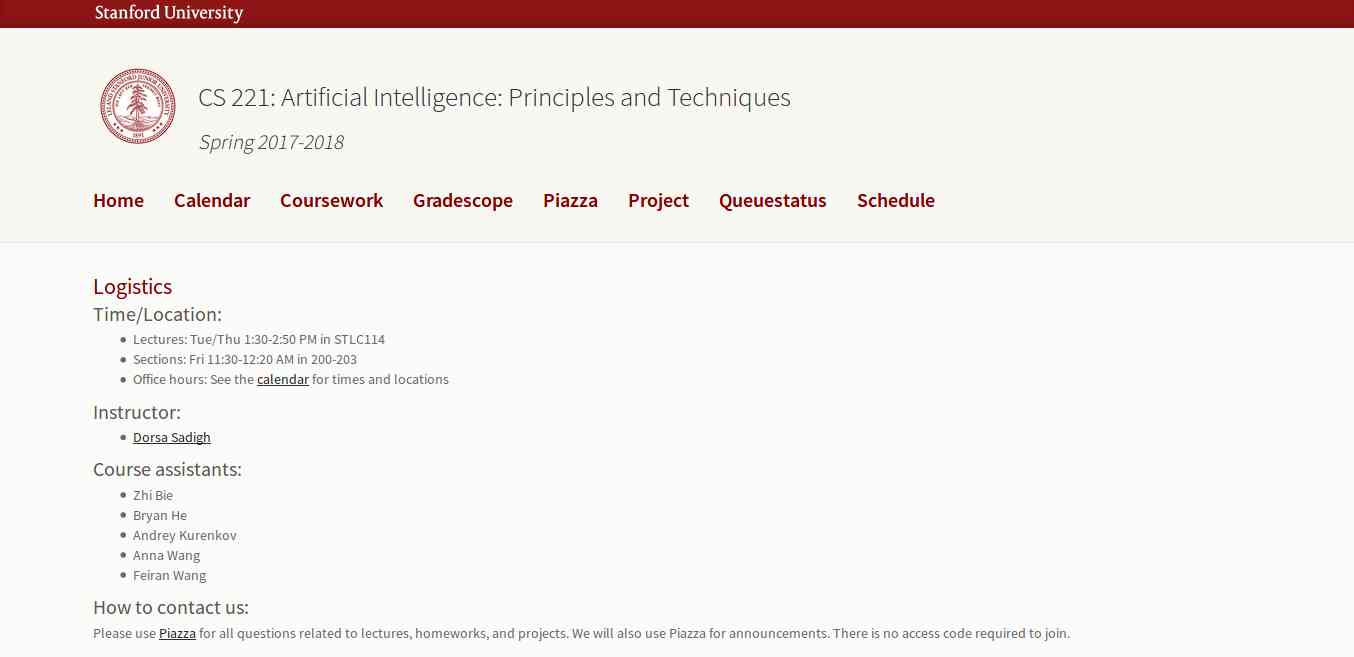
This course is offered by Stanford with great content that includes topics, videos, assignments, projects, and exams. The whole course mainly focuses on the complex real-world problems and try to find similarity between web search, speech recognition, face recognition, machine translation, autonomous driving, and automatic scheduling. Here you will learn the foundational principles of AI and implement some the AI systems. The goal of this course is to help you tackle the real-world situations with the help of AI tools. So, it is the best for the beginner to get started with AI.
3. Learn with GOOGLE AI

Who will dislike the course from Google? absolutely no one. This company is one of the early adopters of AI has a lot to offer to learners. Learn with Google AI is an education platform for people at all experience levels, it is free to access and browse content. The education resources provided by Google is from the machine learning experts of the company. These resources are the collections of lessons, tutorials, and Hands-on exercises that help you start learning, building, and problem-solving.
4. MIT 6.S094: Deep Learning for Self-Driving Cars
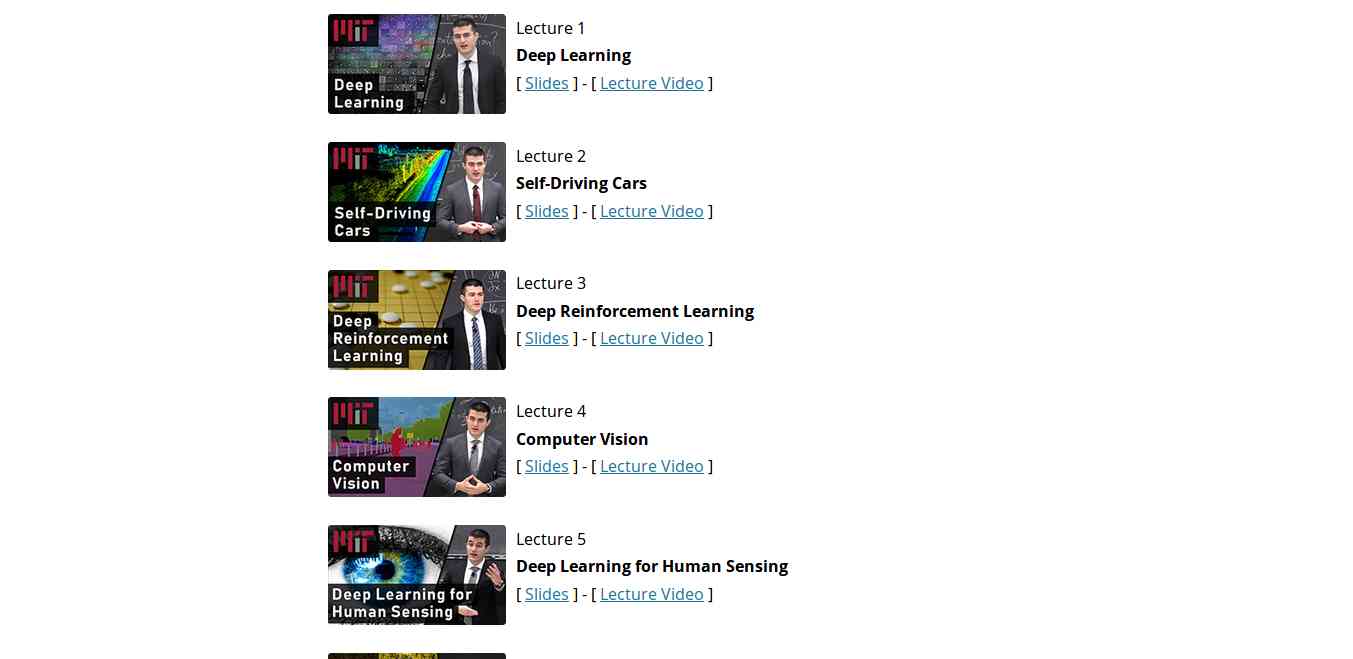
This course gives the practical overview of Deep Learning and AI. It is the course for beginners, also for the people who are getting started with Machine Learning. The course also offers a lot of benefits to the experienced and advanced researchers in the field deep learning. This MIT's course takes people into the journey of Deep Learning with the applied theme of building Self-Driving cars. However, the course also offers slides and videos to engage the learners.
5. Fundamentals of Deep Learning for Computer Vision

This course is offered by Nvidia and Nvidia Deep learning Institute. Computer Vision is one of the disciplines of AI that acquire, analyze, process, and understand images. The course is completely free and everyone who is enthusiast about AI can access and learn the course. It is a hands-on course that able to provide basics of deep learning and deployment of neural networks. With this. you will also learn the following:
- Identify the ingredients required to start a Deep Learning project.
- Train a deep neural network to correctly classify images it has never seen before.
- Deploy deep neural networks into applications.
- Identify techniques for improving the performance of deep learning applications.
- Assess the types of problems that are candidates for deep learning.
- Modify neural networks to change their behavior.
Related links
- Pentest Recon Tools
- Tools For Hacker
- Hacking Tools Github
- Hacking Tools 2019
- Hacking Tools For Windows Free Download
- Hack Apps
- New Hack Tools
- Pentest Tools Nmap
- Hack Tool Apk No Root
- Hack Tools For Mac
- Hack Tools For Games
- New Hack Tools
- What Are Hacking Tools
- Termux Hacking Tools 2019
- Bluetooth Hacking Tools Kali
- Hacker Tools Apk
Adamantium-Thief - Decrypt Chromium Based Browsers Passwords, Cookies, Credit Cards, History, Bookmarks
Get chromium browsers: passwords, credit cards, history, cookies, bookmarks.
Chrome 80 > is supported!
Examples:
Get passwords from browsers:

Get credit cards from browsers:

Get history from browsers:

Get bookmarks from browsers:

Get cookies from browsers:

Browsers list:
via KitPloit
Chrome 80 > is supported!
Examples:
Get passwords from browsers:
Stealer.exe PASSWORDS
Stealer.exe CREDIT_CARDS
Stealer.exe HISTORY
Stealer.exe BOOKMARKS
Stealer.exe COOKIES
- Google Chrome
- Opera
- Chromium
- Brave-Browser
- Epic Privacy Browser
- Amigo
- Vivaldi
- Orbitum
- Atom
- Kometa
- Comodo Dragon
- Torch
- Slimjet
- 360Browser
- Maxthon3
- K-Melon
- Sputnik
- Nichrome
- CocCoc Browser
- Uran
- Chromodo
- Yandex (old)
via KitPloit
Related word
- Pentest Tools For Android
- Black Hat Hacker Tools
- Hack Tool Apk
- Hacker Tools For Pc
- Usb Pentest Tools
- Pentest Tools Free
- Pentest Tools For Ubuntu
- Hacking Tools 2020
- Hacking Tools And Software
- How To Hack
- Kik Hack Tools
- Hacker Tools List
- Hack And Tools
- What Are Hacking Tools
- Hacker Hardware Tools
- Hacking Tools Mac
- Hack Tools
- Hacker Tools Windows
- Hacker Tools Hardware
- Hacking Tools For Windows 7
- Black Hat Hacker Tools
WHO IS ETHICAL HACKER
Who is hacker?
A hacker is a Creative person and a creative Programmer,who have knowledge about Networking,Operating system,hacking & a best creative social engineer who control anyone's mind he is also a knowledgeable person.
A hacker is a Creative person and a creative Programmer,who have knowledge about Networking,Operating system,hacking & a best creative social engineer who control anyone's mind he is also a knowledgeable person.
Hacker are the problem solver and tool builder.
OR
A hacker is an individual who uses computer, networking and other skills to overcome a technical problem but it often refers to a person who uses his or her abilities to gain unauthorized access to system or networks in order to commit crimes.

More information
- Pentest Tools Bluekeep
- Pentest Tools Framework
- Wifi Hacker Tools For Windows
- Android Hack Tools Github
- Pentest Tools Review
- Pentest Tools Bluekeep
- Best Pentesting Tools 2018
- Github Hacking Tools
- Pentest Tools Website
- Wifi Hacker Tools For Windows
- Pentest Tools For Android
- Pentest Tools Tcp Port Scanner
- Pentest Tools Review
- Hack Website Online Tool
- Pentest Tools Nmap
- Kik Hack Tools
- Hacker Tools Online
- Pentest Tools Android
- Hack Tools Mac
- Nsa Hack Tools
- Github Hacking Tools
- Pentest Recon Tools
- Hack Tool Apk
- Underground Hacker Sites
- Hacker Tools Hardware
- Blackhat Hacker Tools
- Hacking Tools For Kali Linux
- Hack Rom Tools
AlienSpy Java RAT Samples And Traffic Information

AlienSpy Java based cross platform RAT is another reincarnation of ever popular Unrecom/Adwind and Frutas RATs that have been circulating through 2014.
It appears to be used in the same campaigns as was Unrccom/Adwind - see the references. If C2 responds, the java RAT downloads Jar files containing Windows Pony/Ponik loader. The RAT is crossplatform and installs and beacons from OSX and Linux as well. However, it did not download any additional malware while running on OSX and Linux.
The samples, pcaps, and traffic protocol information are available below.
File information
I
File: DB46ADCFAE462E7C475C171FBE66DF82_paymentadvice.jar
Size: 131178
MD5: DB46ADCFAE462E7C475C171FBE66DF82
File: 01234.exe (Pony loader dropped by FAB8DE636D6F1EC93EEECAADE8B9BC68 - Transfer.jar_
Size: 792122
MD5: B5E7CD42B45F8670ADAF96BBCA5AE2D0
II
File: 79e9dd35aef6558461c4b93cd0c55b76_Purchase Order.jar
Size: 125985
MD5: 79E9DD35AEF6558461C4B93CD0C55B76
III
File: B2856B11FF23D35DA2C9C906C61781BA_purchaseorder.jar
Size: 49084
MD5: b2856b11ff23d35da2c9c906c61781ba
Download

Original jar attachment files
B2856B11FF23D35DA2C9C906C61781BA_purchaseorder.jar
DB46ADCFAE462E7C475C171FBE66DF82_paymentadvice.jar
79e9dd35aef6558461c4b93cd0c55b76_Purchase Order.jar
B2856B11FF23D35DA2C9C906C61781BA_purchaseorder.jar
DB46ADCFAE462E7C475C171FBE66DF82_paymentadvice.jar
79e9dd35aef6558461c4b93cd0c55b76_Purchase Order.jar
| AlienSpyRAT_B2856B11FF23D35DA2C9C906C61781BA.pcap |
| AlienSpyRAT_79E9DD35AEF6558461C4B93CD0C55B76.pcap |
| Pony_B5E7CD42B45F8670ADAF96BBCA5AE2D0.pcap |
| AlienspyRAT_DB46ADCFAE462E7C475C171FBE66DF82-OSXLion.pcap |
| AlienspyRAT_DB46ADCFAE462E7C475C171FBE66DF82-WinXP.pcap |
All files with created and downloaded
References
Research:
Boredliner: Cracking obfuscated java code - Adwind 3 << detailed java analysis
Fidelis: RAT in a jar:A phishing campaign using Unrecom May 21, 2014
Crowdstrike: Adwind RAT rebranding
Symantec:Adwind RAT
Symantec: Frutas RAT
Symantec: Ponik/Pony
Java Serialization References:
https://docs.oracle.com/javase/7/docs/platform/serialization/spec/protocol.html
http://www.kdgregory.com/index.php?page=java.serialization
http://staf.cs.ui.ac.id/WebKuliah/java/MasteringJavaBeans/ch11.pdf
Additional File details
Alienspy RAT
The following RAT config strings are extracted from memory dumps. Alienspy RAT is a reincarnated Unrecom/Adwind << Frutas RAT and is available from https://alienspy.net/
As you see by the config, it is very similar to Unrecom/Adwind
File: paymentadvice.jar
Size: 131178
MD5: DB46ADCFAE462E7C475C171FBE66DF82
───paymentadvice.jar
├───META-INF
│ MANIFEST.MF <<MD5: 11691d9f7d585c528ca22f7ba6f4a131 Size: 90
│
├───plugins
│ Server.class <<MD5: 3d9ffbe03567067ae0d68124b5b7b748 Size: 520 << Strings are here
│
└───stub
EcryptedWrapper.class <<MD5: f2701642ac72992c983cb85981a5aeb6 Size: 89870
EncryptedLoader.class <<MD5: 3edfd511873b30d1373a4dc54db336ee Size: 223356
EncryptedLoaderOld.class << MD5: b0ef7ff41caf69d9ae076c605653c4c7 Size: 15816
stub.dll << MD5: 64fb8dfb8d25a0273081e78e7c40ca5e Size: 43648 << Strings are here
Alienspy Rat Config strings
DB46ADCFAE462E7C475C171FBE66DF82
<!DOCTYPE properties SYSTEM "http://java.sun.com/dtd/properties.dtd">
<properties>
<comment>AlienSpy</comment>
<entry key="vbox">false</entry>
<entry key="password">a2e74aef2c17329f0e8e8f347c62a6a03d16b944</entry>
<entry key="p2">1079</entry>
<entry key="p1">1077</entry>
<entry key="ps_hacker">false</entry>
<entry key="install_time">2000</entry>
<entry key="taskmgr">false</entry>
<entry key="connetion_time">2000</entry>
<entry key="registryname">GKXeW0Yke7</entry>
<entry key="wireshark">false</entry>
<entry key="NAME">IHEAKA</entry>
<entry key="jarname">unXX0JIhwW</entry>
<entry key="dns">204.45.207.40</entry>
<entry key="ps_explorer">false</entry>
<entry key="msconfig">false</entry>
<entry key="pluginfoldername">m4w6OAI02f</entry>
<entry key="extensionname">xBQ</entry>
<entry key="install">true</entry>
<entry key="win_defender">false</entry>
<entry key="uac">false</entry>
<entry key="jarfoldername">9bor9J6cRd</entry>
<entry key="mutex">xooJlYrm61</entry>
<entry key="prefix">IHEAKA</entry>
<entry key="restore_system">false</entry>
<entry key="vmware">false</entry>
<entry key="desktop">true</entry>
<entry key="reconnetion_time">2000</entry>
</properties>
IP: 204.45.207.40
Decimal: 3425554216
Hostname: 212.clients.instantdedis.com
ISP: FDCservers.net
Country: United States
State/Region: Colorado
City: Denver
79E9DD35AEF6558461C4B93CD0C55B76
<?xml version="1.0" encoding="UTF-8" standalone="no"?>
<!DOCTYPE properties SYSTEM "http://java.sun.com/dtd/properties.dtd">
<properties>
<comment>AlienSpy</comment>
<entry key="pluginfolder">fy0qFUFuLP</entry>
<entry key="reconnetion_time">3000</entry>
<entry key="ps_hacker">true</entry>
<entry key="restore_system">true</entry>
<entry key="pluginfoldername">fy0qFUFuLP</entry>
<entry key="dns">38.89.137.248</entry>
<entry key="install_time">3000</entry>
<entry key="port2">1065</entry>
<entry key="port1">1064</entry>
<entry key="taskmgr">true</entry>
<entry key="vmware">false</entry>
<entry key="jarname">LcuSMagrlF</entry>
<entry key="msconfig">true</entry>
<entry key="mutex">VblVc5kEqY</entry>
<entry key="install">true</entry>
<entry key="instalar">true</entry>
<entry key="vbox">false</entry>
<entry key="password">7110eda4d09e062aa5e4a390b0a572ac0d2c0220</entry>
<entry key="NAME">xmas things</entry>
<entry key="extensionname">7h8</entry>
<entry key="prefix">xmas</entry>
<entry key="jarfoldername">jcwDpUEpCh</entry>
<entry key="uac">true</entry>
<entry key="win_defender">true</entry>
<entry key="
IP: 38.89.137.248
Decimal: 643402232
Hostname: 38.89.137.248
ISP: Cogent Communications
Country: United States us flag
I

Java Serialization Protocol traffic infoThe following RAT config strings are extracted from memory dumps. Alienspy RAT is a reincarnated Unrecom/Adwind << Frutas RAT and is available from https://alienspy.net/
As you see by the config, it is very similar to Unrecom/Adwind
File: paymentadvice.jar
Size: 131178
MD5: DB46ADCFAE462E7C475C171FBE66DF82
───paymentadvice.jar
├───META-INF
│ MANIFEST.MF <<MD5: 11691d9f7d585c528ca22f7ba6f4a131 Size: 90
│
├───plugins
│ Server.class <<MD5: 3d9ffbe03567067ae0d68124b5b7b748 Size: 520 << Strings are here
│
└───stub
EcryptedWrapper.class <<MD5: f2701642ac72992c983cb85981a5aeb6 Size: 89870
EncryptedLoader.class <<MD5: 3edfd511873b30d1373a4dc54db336ee Size: 223356
EncryptedLoaderOld.class << MD5: b0ef7ff41caf69d9ae076c605653c4c7 Size: 15816
stub.dll << MD5: 64fb8dfb8d25a0273081e78e7c40ca5e Size: 43648 << Strings are here
Alienspy Rat Config strings
DB46ADCFAE462E7C475C171FBE66DF82
<!DOCTYPE properties SYSTEM "http://java.sun.com/dtd/properties.dtd">
<properties>
<comment>AlienSpy</comment>
<entry key="vbox">false</entry>
<entry key="password">a2e74aef2c17329f0e8e8f347c62a6a03d16b944</entry>
<entry key="p2">1079</entry>
<entry key="p1">1077</entry>
<entry key="ps_hacker">false</entry>
<entry key="install_time">2000</entry>
<entry key="taskmgr">false</entry>
<entry key="connetion_time">2000</entry>
<entry key="registryname">GKXeW0Yke7</entry>
<entry key="wireshark">false</entry>
<entry key="NAME">IHEAKA</entry>
<entry key="jarname">unXX0JIhwW</entry>
<entry key="dns">204.45.207.40</entry>
<entry key="ps_explorer">false</entry>
<entry key="msconfig">false</entry>
<entry key="pluginfoldername">m4w6OAI02f</entry>
<entry key="extensionname">xBQ</entry>
<entry key="install">true</entry>
<entry key="win_defender">false</entry>
<entry key="uac">false</entry>
<entry key="jarfoldername">9bor9J6cRd</entry>
<entry key="mutex">xooJlYrm61</entry>
<entry key="prefix">IHEAKA</entry>
<entry key="restore_system">false</entry>
<entry key="vmware">false</entry>
<entry key="desktop">true</entry>
<entry key="reconnetion_time">2000</entry>
</properties>
IP: 204.45.207.40
Decimal: 3425554216
Hostname: 212.clients.instantdedis.com
ISP: FDCservers.net
Country: United States
State/Region: Colorado
City: Denver
79E9DD35AEF6558461C4B93CD0C55B76
<?xml version="1.0" encoding="UTF-8" standalone="no"?>
<!DOCTYPE properties SYSTEM "http://java.sun.com/dtd/properties.dtd">
<properties>
<comment>AlienSpy</comment>
<entry key="pluginfolder">fy0qFUFuLP</entry>
<entry key="reconnetion_time">3000</entry>
<entry key="ps_hacker">true</entry>
<entry key="restore_system">true</entry>
<entry key="pluginfoldername">fy0qFUFuLP</entry>
<entry key="dns">38.89.137.248</entry>
<entry key="install_time">3000</entry>
<entry key="port2">1065</entry>
<entry key="port1">1064</entry>
<entry key="taskmgr">true</entry>
<entry key="vmware">false</entry>
<entry key="jarname">LcuSMagrlF</entry>
<entry key="msconfig">true</entry>
<entry key="mutex">VblVc5kEqY</entry>
<entry key="install">true</entry>
<entry key="instalar">true</entry>
<entry key="vbox">false</entry>
<entry key="password">7110eda4d09e062aa5e4a390b0a572ac0d2c0220</entry>
<entry key="NAME">xmas things</entry>
<entry key="extensionname">7h8</entry>
<entry key="prefix">xmas</entry>
<entry key="jarfoldername">jcwDpUEpCh</entry>
<entry key="uac">true</entry>
<entry key="win_defender">true</entry>
<entry key="
IP: 38.89.137.248
Decimal: 643402232
Hostname: 38.89.137.248
ISP: Cogent Communications
Country: United States us flag
Created Files
I
DB46ADCFAE462E7C475C171FBE66DF82 paymentadvice.jar
%USERPROFILE%\Application Data\evt88IWdHO\CnREgyvLBS.txt <<MD5: abe6ef71e44d2e145033800d0dccea57 << strings are here (by classes)
%USERPROFILE%\Application Data\evt88IWdHO\Desktop.ini
%USERPROFILE%\Local Settings\Temp\asdqw15727804162199772615555.jar << Strings are here
%USERPROFILE%\Local Settings\Temp\iWimMQLgpsT2624529381479181764.png (seen Transfer.jar in the stream) <<MD5: fab8de636d6f1ec93eeecaade8b9bc68 Size: 755017 << Strings are here
%USERPROFILE%\Application Data\evt88IWdHO\Desktop.ini
%USERPROFILE%\Local Settings\Temp\asdqw15727804162199772615555.jar << Strings are here
%USERPROFILE%\Local Settings\Temp\iWimMQLgpsT2624529381479181764.png (seen Transfer.jar in the stream) <<MD5: fab8de636d6f1ec93eeecaade8b9bc68 Size: 755017 << Strings are here
%USERPROFILE%\29OVHAabdr.tmp << timestamp file << Strings are here
\deleted_files\%USERPROFILE%\\29OVHAabdr.tmp << timestamp file << Strings are here
\deleted_files\%USERPROFILE%\\Application Data\9bor9J6cRd\Desktop.ini << Strings are here
\deleted_files\%USERPROFILE%\\Application Data\9bor9J6cRd\unXX0JIhwW.txt << MD5: DB46ADCFAE462E7C475C171FBE66DF82 < original jar << Strings are here
\deleted_files\%USERPROFILE%\\Local Settings\Temp\14583359.bat << Strings are here
\deleted_files\%USERPROFILE%\\Local Settings\Temp\asdqw4727319084772952101234.exe << Pony Downloader MD5: b5e7cd42b45f8670adaf96bbca5ae2d0 Size: 792122 < Strings are here
\deleted_files\%USERPROFILE%\\Local Settings\Temp\OiuFr7LcfXq1847924646026958055.vbs <<MD5: 9E1EDE0DEDADB7AF34C0222ADA2D58C9 Strings are here
\deleted_files\%USERPROFILE%\\xooJlYrm61.tmp < timestamp file << Strings are here
\deleted_files\C\WINDOWS\tem.txt - 0bytes
IWIMMQLGPST2624529381479181764.PNG MD5: fab8de636d6f1ec93eeecaade8b9bc68
├───com
│ └───java
│ │ Main.class << MD5: d020b9fdac0139d43997f9ec14fa5947 Size: 7232
│ │ Manifest.mf << MD5: a396d2898e8a83aa5233c4258de006e3 Size: 750412
│ │ 01234.exe << MD5: b5e7cd42b45f8670adaf96bbca5ae2d0 Size: 792122
│ │ 15555.jar << MD5: abe6ef71e44d2e145033800d0dccea57 Size: 50922
│ │
│ └───15555
│ │ ID
│ │ Main.class << MD5: d020b9fdac0139d43997f9ec14fa5947 Size: 7232
│ │ MANIFEST.MF << MD5: a396d2898e8a83aa5233c4258de006e3 Size: 750412
│ │
│ ├───META-INF
│ └───plugins
└───META-INF
MANIFEST.MF << MD5: 042c2fa9077d96478ce585d210641d9a Size: 171
File types
- 14583359.bat (.txt) "Text file"
- 29OVHAabdr.tmp (.txt) "Text file"
- asdqw15727804162199772615555.jar (.zip) "PKZIP Compressed"
- asdqw4727319084772952101234.exe (.exe) "Executable File"
- CnREgyvLBS.txt (.zip) "PKZIP Compressed"
- Desktop.ini (.txt) "Text file"
- DFR5.tmp (.txt) "Text file"
- iWimMQLgpsT2624529381479181764.png (.zip) "Zip Compressed"
- iWimMQLgpsT2624529381479181764.png (.zip) "PKZIP Compressed"
- OiuFr7LcfXq1847924646026958055.vbs (.txt) "Vbs script file"
- tem.txt (.txt) "Text file"
- unXX0JIhwW.txt (.zip) "PKZIP Compressed"
- xooJlYrm61.tmp (.txt) "Text file"
II
79e9dd35aef6558461c4b93cd0c55b76 Purchase Order.jar
Received: from magix-webmail (webmail.app.magix-online.com [193.254.184.250])
by smtp.app.magix-online.com (Postfix) with ESMTPSA id B626052E77F;
Sun, 16 Nov 2014 14:54:06 +0100 (CET)
Received: from 206.217.192.188 ([206.217.192.188]) by
webmail.magix-online.com (Horde Framework) with HTTP; Sun, 16 Nov 2014
14:54:06 +0100
Date: Sun, 16 Nov 2014 14:54:06 +0100
Message-ID: <20141116145406.Horde.YL7L4Bi7ap6_NXm76DDEaw2@webmail.magix-online.com>
From: Outokumpu Import Co Ltd <purchase@brentyil.org>
Subject: Re: Confirm correct details
Reply-to: jingwings@outlook.com
User-Agent: Internet Messaging Program (IMP) H5 (6.1.4)
Content-Type: multipart/mixed; boundary="=_FMdois7zoq7xTAV91epZoQ6"
MIME-Version: 1.0
Content-Transfer-Encoding: 8bit
This message is in MIME format.
--=_FMdois7zoq7xTAV91epZoQ6
Content-Type: text/plain; charset=UTF-8; format=flowed; DelSp=Yes
Content-Disposition: inline
Content-Transfer-Encoding: 8bit
Dear Sir,
Please confirm the attached purchase order for your reference.
Please acknowledge Invoice for the final confirmation and confirm
details are correct so we can proceed accordingly.
Please give me feedback through this email.
IBRAHIM MOHAMMAD AL FAR
Area Manager
Central Region
Outokumpu Import Co Ltd
Tel: +966-11-265-2030
Fax: +966-11-265-0350
Mob: +966-50 610 8743
P.O Box: 172 Riyadh 11383
Kingdom of Saudi Arabia
--=_FMdois7zoq7xTAV91epZoQ6
Content-Type: application/java-archive; name="Purchase Order.jar"
Content-Description: Purchase Order.jar
Content-Disposition: attachment; size=125985; filename="Purchase Order.jar"
Content-Transfer-Encoding: base64
File paths
%USERPROFILE%\Application Data\jcwDpUEpCh\Desktop.ini
%USERPROFILE%\Application Data\jcwDpUEpCh\LcuSMagrlF.txt
%USERPROFILE%\Local Settings\History\History.IE5\MSHist012014111620141117\index.dat
%USERPROFILE%\Local Settings\Temp\hsperfdata_Laura\3884
%USERPROFILE%\VblVc5kEqY.tmp
deleted_files\%USERPROFILE%\Local Settings\Temp\TaskNetworkGathor267205042636993976.reg
deleted_files\%USERPROFILE%\VblVc5kEqY.tmp
deleted_files\C\WINDOWS\tem.txt
File types
Desktop.ini (.txt) "Text file"
index.dat (.txt) "Text file"
LcuSMagrlF.txt (.zip) "PKZIP Compressed"
TaskNetworkGathor267205042636993976.reg (.txt) "Text file"
tem.txt (.txt) "Text file"
VblVc5kEqY.tmp (.txt) "Text file"
MD5 list
Desktop.ini e783bdd20a976eaeaae1ff4624487420
index.dat b431d50792262b0ef75a3d79a4ca4a81
LcuSMagrlF.txt 79e9dd35aef6558461c4b93cd0c55b76
79e9dd35aef6558461c4b93cd0c55b76.malware 79e9dd35aef6558461c4b93cd0c55b76
TaskNetworkGathor267205042636993976.reg 6486acf0ca96ecdc981398855255b699 << Strings are here
tem.txt d41d8cd98f00b204e9800998ecf8427e
VblVc5kEqY.tmp b5c6ea9aaf042d88ee8cd61ec305880b
III
B2856B11FF23D35DA2C9C906C61781BA Purchase Order.jar
File paths
%USERPROFILE%\Application Data\Sys32\Desktop.ini
%USERPROFILE%\Application Data\Sys32\Windows.jar.txt
%USERPROFILE%\Local Settings\History\History.IE5\MSHist012014111620141117\index.dat
%USERPROFILE%\Local Settings\Temp\hsperfdata_Laura\1132
%USERPROFILE%\WWMI853JfC.tmp
deleted_files\%USERPROFILE%\Local Settings\Temp\TaskNetworkGathor7441169770678304780.reg
deleted_files\%USERPROFILE%\Local Settings\History\History.IE5\MSHist012013110920131110\index.dat
deleted_files\%USERPROFILE%\WWMI853JfC.tmp
deleted_files\C\DFRA.tmp
deleted_files\C\WINDOWS\tem
File type list
Desktop.ini (.txt) "Text file"
DFRA.tmp (.txt) "Text file"
index.dat (.txt) "Text file"
TaskNetworkGathor7441169770678304780.reg (.txt) "Text file"
tem (.txt) "Text file"
Windows.jar.txt (.zip) "PKZIP Compressed"
WWMI853JfC.tmp (.txt) "Text file"
MD5 list
Desktop.ini e783bdd20a976eaeaae1ff4624487420
DFRA.tmp d41d8cd98f00b204e9800998ecf8427e
index.dat b431d50792262b0ef75a3d79a4ca4a81
purchase.jar b2856b11ff23d35da2c9c906c61781ba
TaskNetworkGathor7441169770678304780.reg 311af3b9a52ffc58f46ad83afb1e93b6
tem d41d8cd98f00b204e9800998ecf8427e
Windows.jar.txt b2856b11ff23d35da2c9c906c61781ba
WWMI853JfC.tmp 8e222c61fc55c230407ef1eb21a7daa9
%USERPROFILE%\Local Settings\History\History.IE5\MSHist012014111620141117\index.dat
%USERPROFILE%\Local Settings\Temp\hsperfdata_Laura\3884
%USERPROFILE%\VblVc5kEqY.tmp
deleted_files\%USERPROFILE%\Local Settings\Temp\TaskNetworkGathor267205042636993976.reg
deleted_files\%USERPROFILE%\VblVc5kEqY.tmp
deleted_files\C\WINDOWS\tem.txt
File types
Desktop.ini (.txt) "Text file"
index.dat (.txt) "Text file"
LcuSMagrlF.txt (.zip) "PKZIP Compressed"
TaskNetworkGathor267205042636993976.reg (.txt) "Text file"
tem.txt (.txt) "Text file"
VblVc5kEqY.tmp (.txt) "Text file"
MD5 list
Desktop.ini e783bdd20a976eaeaae1ff4624487420
index.dat b431d50792262b0ef75a3d79a4ca4a81
LcuSMagrlF.txt 79e9dd35aef6558461c4b93cd0c55b76
79e9dd35aef6558461c4b93cd0c55b76.malware 79e9dd35aef6558461c4b93cd0c55b76
TaskNetworkGathor267205042636993976.reg 6486acf0ca96ecdc981398855255b699 << Strings are here
tem.txt d41d8cd98f00b204e9800998ecf8427e
VblVc5kEqY.tmp b5c6ea9aaf042d88ee8cd61ec305880b
III
B2856B11FF23D35DA2C9C906C61781BA Purchase Order.jar
File paths
%USERPROFILE%\Application Data\Sys32\Desktop.ini
%USERPROFILE%\Application Data\Sys32\Windows.jar.txt
%USERPROFILE%\Local Settings\History\History.IE5\MSHist012014111620141117\index.dat
%USERPROFILE%\Local Settings\Temp\hsperfdata_Laura\1132
%USERPROFILE%\WWMI853JfC.tmp
deleted_files\%USERPROFILE%\Local Settings\Temp\TaskNetworkGathor7441169770678304780.reg
deleted_files\%USERPROFILE%\Local Settings\History\History.IE5\MSHist012013110920131110\index.dat
deleted_files\%USERPROFILE%\WWMI853JfC.tmp
deleted_files\C\DFRA.tmp
deleted_files\C\WINDOWS\tem
File type list
Desktop.ini (.txt) "Text file"
DFRA.tmp (.txt) "Text file"
index.dat (.txt) "Text file"
TaskNetworkGathor7441169770678304780.reg (.txt) "Text file"
tem (.txt) "Text file"
Windows.jar.txt (.zip) "PKZIP Compressed"
WWMI853JfC.tmp (.txt) "Text file"
MD5 list
Desktop.ini e783bdd20a976eaeaae1ff4624487420
DFRA.tmp d41d8cd98f00b204e9800998ecf8427e
index.dat b431d50792262b0ef75a3d79a4ca4a81
purchase.jar b2856b11ff23d35da2c9c906c61781ba
TaskNetworkGathor7441169770678304780.reg 311af3b9a52ffc58f46ad83afb1e93b6
tem d41d8cd98f00b204e9800998ecf8427e
Windows.jar.txt b2856b11ff23d35da2c9c906c61781ba
WWMI853JfC.tmp 8e222c61fc55c230407ef1eb21a7daa9
Traffic Information
DB46ADCFAE462E7C475C171FBE66DF82 traffic capture - Windows XP
00000000 ac ed 00 05 ....
00000000 ac ed 00 05 ....
00000004 75 72 00 02 5b 42 ac f3 17 f8 06 08 54 e0 02 00 ur..[B.. ....T...
00000014 00 .
00000015 78 70 00 00 03 2a 1f 8b 08 00 00 00 00 00 00 00 xp...*.. ........
00000025 6d 54 dd 8e d3 46 18 1d 12 16 b2 bb 59 40 fc 5d mT...F.. ....Y@.]
00000035 bb 52 2b 71 83 d7 76 1c 3b a1 12 10 58 16 36 2c .R+q..v. ;...X.6,
00000045 14 95 56 1b 24 4b d6 17 7b 9c cc 66 3c e3 ce 8c ..V.$K.. {..f<...
00000055 d7 a6 17 7d 8e 3e 44 1f a0 12 2f c1 43 f4 b6 ef ...}.>D. ../.C...
00000065 d0 cf 6c 76 1d 2a 22 d9 19 7b be 9f 73 be 73 c6 ..lv.*". .{..s.s.
00000075 7f fd 4b b6 b4 22 77 4f e1 0c ec d2 30 6e bf 53 ..K.."wO ....0n.S
DB46ADCFAE462E7C475C171FBE66DF82 traffic capture - OSX Lion
00000000 ac ed 00 05 ....
00000000 ac ed 00 05 ....
00000004 75 72 00 02 5b 42 ac f3 17 f8 06 08 54 e0 02 00 ur..[B.. ....T...
00000014 00 .
00000015 78 70 00 00 03 33 1f 8b 08 00 00 00 00 00 00 00 xp...3.. ........
00000025 75 54 cd 6e db 46 10 de c8 b5 2d ff 26 c8 1f 7a uT.n.F.. ..-.&..z
00000035 54 0f 45 7b d1 92 5c d1 94 89 02 4d 94 c0 b1 a5 T.E{..\. ...M....
00000045 d8 4d 51 23 89 73 22 56 dc a5 b5 16 b9 cb ec 2e .MQ#.s"V ........
B2856B11FF23D35DA2C9C906C61781BA on Windows XP
00000000 ac ed 00 05 ....
00000000 ac ed 00 05 ....
00000004 75 72 00 02 5b 42 ac f3 17 f8 06 08 54 e0 02 00 ur..[B.. ....T...
00000014 00 .
00000015 78 70 00 00 03 63 1f 8b 08 00 00 00 00 00 00 00 xp...c.. ........
00000025 6d 54 5d 6e db 46 10 de 48 91 2d db 8a 13 24 41 mT]n.F.. H.-...$A
00000035 fa ca 3e 14 08 0a 84 e6 bf a4 16 68 9a c4 75 1b ..>..... ...h..u.
00000045 c3 6e 0d b8 85 13 80 00 31 22 57 d2 5a e4 ee 76 .n...... 1"W.Z..v
79E9DD35AEF6558461C4B93CD0C55B76 - Windows XP
00000000 ac ed 00 05 ....
00000000 ac ed 00 05 ....
00000004 75 72 00 02 5b 42 ac f3 17 f8 06 08 54 e0 02 00 ur..[B.. ....T...
00000014 00 .
00000015 78 70 00 00 03 69 1f 8b 08 00 00 00 00 00 00 00 xp...i.. ........
00000025 6d 54 dd 6e db 36 14 66 ed fc 38 89 9b 16 ed d0 mT.n.6.f ..8.....
00000035 de 6a 17 03 8a 01 53 28 d9 92 ed 0d e8 d6 34 71 .j....S( ......4q
00000045 b6 c0 19 02 64 69 3b c0 80 70 2c d1 36 6d 4a 62 ....di;. .p,.6mJb
Serialization Protocol decoding:
The following fields are part of the serialization protocol and are 'benign" and common.
AC ED (’) - Java Serialization protocol magic STREAM_MAGIC = (short)0xaced.
00 05 - Serialization Version STREAM_VERSION
75 (u) - Specifies that this is a new array - newArray: TC_ARRAY
72 (r) - Specifies that this is a new class - newClassDesc: TC_CLASSDESC
00 02 - Length of the class name
5B 42 AC F3 17 F8 06 08 54 E0 ([B¬ó.ø..Tà) This is a Serial class name and version identifier section but data appears to be encrypted
02 00 - Is Serializable Flag - SC_SERIALIZABLE
78 70 (xp) - some low-level information identifying serialized fields
1f 8b 08 00 00 00 00 00 00 00 - GZIP header as seen in the serialization stream
As you see, all Windows traffic captures have identical fields following the GZIP stream, while OSX traffic has different data. The jar files that had Pony Downloader payload did not have other OSX malware packaged and I saw no activity on OSX other than calling the C2 and writing to the randomly named timestamp file (e.g VblVc5kEqY.tmp - updating current timestamp in Unix epoch format)
Combination of the Stream Magic exchange, plus all other benign fields in this order will create a usable signature. However, it will be prone to false positives unless you use fields after the GZIP header for OS specific signatures
Another signature can be based on the transfer. jar download as seen below
DB46ADCFAE462E7C475C171FBE66DF82 - downloading fab8de636d6f1ec93eeecaade8b9bc68
iWimMQLgpsT2624529381479181764.png (seen Transfer.jar in the stream) , which contains 15555.jar in Manifest.mf, which contains 15555.exe (Pony loader) in its' Manfest.mf
IHEAKA _000C297 << IHEAKA is the name of the RAT client, it is different in each infection.
00000000 ac ed 00 05 ....
00000000 ac ed 00 05 ....
00000004 77 04 w.
00000006 00 00 00 01 ....
0000000A 77 15 w.
0000000C 00 13 49 48 45 41 4b 41 5f 30 30 30 43 32 39 37 ..IHEAKA _000C297
0000001C 42 41 38 44 41 BA8DA
00000004 77 0e 00 0c 54 72 61 6e 73 66 65 72 2e 6a 61 72 w...Tran sfer.jar
00000014 7a 00 00 04 00 50 4b 03 04 14 00 08 08 08 00 46 z....PK. .......F
00000024 0c 71 45 00 00 00 00 00 00 00 00 00 00 00 00 14 .qE..... ........
00000034 00 04 00 4d 45 54 41 2d 49 4e 46 2f 4d 41 4e 49 ...META- INF/MANI
00000044 46 45 53 54 2e 4d 46 fe ca 00 00 4d 8d 4d 0b c2 FEST.MF. ...M.M..
---- snip----
000ABBA0 00 09 00 00 00 31 35 35 35 35 2e 6a 61 72 74 97 .....155 55.jart.
000ABBB0 43 70 26 8c a2 44 63 db 9c d8 b6 9d 7c b1 6d db Cp&..Dc. ....|.m.
000ABBC0 c6 c4 b6 6d db b6 6d db 99 d8 76 f2 fe e5 dd bc ...m..m. ..v.....
Pony downloader traffic
HTTP requests
URL: http://meetngreetindia.com/scala/gate.php
TYPE: POST
USER AGENT: Mozilla/4.0 (compatible; MSIE 5.0; Windows 98)
URL: http://meetngreetindia.com/scala/gate.php
TYPE: GET
USER AGENT: Mozilla/4.0 (compatible; MSIE 5.0; Windows 98)
DNS requests
meetngreetindia.com (50.28.15.25)
TCP connections
50.28.15.25:80
IP: 50.28.15.25
Decimal: 840699673
Hostname: mahanadi3.ewebguru.net
ISP: Liquid Web
Organization: eWebGuru
State/Region: Michigan
City: Lansing
https://www.virustotal.com/en/ip-address/50.28.15.25/information/
IP-Domain Information
DB46ADCFAE462E7C475C171FBE66DF82 paymentadvice.jar
IP: 204.45.207.40
Decimal: 3425554216
Hostname: 212.clients.instantdedis.com
ISP: FDCservers.net
Country: United States
State/Region: Colorado
City: Denver
meetngreetindia.com (50.28.15.25)Decimal: 3425554216
Hostname: 212.clients.instantdedis.com
ISP: FDCservers.net
Country: United States
State/Region: Colorado
City: Denver
TCP connections
50.28.15.25:80
Decimal: 840699673
Hostname: mahanadi3.ewebguru.net
ISP: Liquid Web
Organization: eWebGuru
State/Region: Michigan
City: Lansing
79E9DD35AEF6558461C4B93CD0C55B76 Purchase order.jar
IP: 38.89.137.248
Decimal: 643402232
Hostname: 38.89.137.248
ISP: Cogent Communications
Country: United States us flag
III
2856B11FF23D35DA2C9C906C61781BA Purchase order.jar
installone.no-ip.biz
IP Address: 185.32.221.17
Country: Switzerland
Network Name: CH-DATASOURCE-20130812
Owner Name: Datasource AG
From IP: 185.32.220.0
To IP: 185.32.223.255
Allocated: Yes
Contact Name: Rolf Tschumi
Address: mgw online service, Roetihalde 12, CH-8820 Waedenswil
Email: rolf.tschumi@mgw.ch
Abuse Email: abuse@softplus.net
Virustotal
https://www.virustotal.com/en/file/02d1e6dd2f3eecf809d8cd43b5b49aa76c6f322cf4776d7b190676c5f12d6b45/analysis/SHA256: 02d1e6dd2f3eecf809d8cd43b5b49aa76c6f322cf4776d7b190676c5f12d6b45
MD5 db46adcfae462e7c475c171fbe66df82
SHA1 2b43211053d00147b2cb9847843911c771fd3db4
SHA256 02d1e6dd2f3eecf809d8cd43b5b49aa76c6f322cf4776d7b190676c5f12d6b45
ssdeep3072:VR/6ZQvChcDfJNBOFJKMRXcCqfrCUMBpXOg84WoUeonNTFN:LdvCGJN0FJ1RXcgBpXOjOjSNTFN
File size 128.1 KB ( 131178 bytes )
File type ZIP
Magic literalZip archive data, at least v2.0 to extract
TrID ZIP compressed archive (100.0%)
File name: Payment Advice.jar
Detection ratio: 6 / 54
Analysis date: 2014-11-16 20:58:08 UTC ( 1 day, 4 hours ago )
Ikarus Trojan.Java.Adwind 20141116
TrendMicro JAVA_ADWIND.XXO 20141116
TrendMicro-HouseCall JAVA_ADWIND.XXO 20141116
DrWeb Java.Adwind.3 20141116
Kaspersky HEUR:Trojan.Java.Generic 20141116
ESET-NOD32 a variant of Java/Adwind.T 20141116
SHA256: 733c037f886d91b6874ac4a2de5b32ca1e7f7f992928b01579b76603b233110c
MD5 fab8de636d6f1ec93eeecaade8b9bc68
File name: iWimMQLgpsT2624529381479181764.png
Detection ratio: 23 / 53
Analysis date: 2014-11-17 03:23:15 UTC ( 0 minutes ago )
AVG Zbot.URE 20141116
Qihoo-360 Win32/Trojan.fff 20141117
ESET-NOD32 Win32/PSW.Fareit.A 20141117
Fortinet W32/Inject.SXVW!tr 20141117
Antiy-AVL Trojan[PSW]/Win32.Tepfer 20141117
AVware Trojan.Win32.Generic!BT 20141117
DrWeb Trojan.PWS.Stealer.13319 20141117
Symantec Trojan.Maljava 20141117
McAfee RDN/Generic Exploit!1m3 20141117
McAfee-GW-Edition RDN/Generic Exploit!1m3 20141117
Sophos Mal/JavaJar-A 20141117
Avast Java:Malware-gen [Trj] 20141117
Cyren Java/Agent.KS 20141117
F-Prot Java/Agent.KS 20141117
Kaspersky HEUR:Trojan.Java.Generic 20141117
Emsisoft Gen:Variant.Kazy.494557 (B) 20141117
Ad-Aware Gen:Variant.Kazy.494557 20141117
BitDefender Gen:Variant.Kazy.494557 20141117
F-Secure Gen:Variant.Kazy.494557 20141116
GData Gen:Variant.Kazy.494557 20141117
MicroWorld-eScan Gen:Variant.Kazy.494557 20141117
Ikarus Exploit.Java.Agent 20141117
Norman Adwind.E 20141116
https://www.virustotal.com/en/file/91d71b06c99fe25271ba19c1c47c2d1ba85e78c2d7d5ae74e97417dc958dc725/analysis/
MD5 b5e7cd42b45f8670adaf96bbca5ae2d0
SHA256: 91d71b06c99fe25271ba19c1c47c2d1ba85e78c2d7d5ae74e97417dc958dc725
File name: asdqw4727319084772952101234.exe
Detection ratio: 12 / 54
Analysis date: 2014-11-17 03:21:30 UTC
AVG Zbot.URE 20141116
AVware Trojan.Win32.Generic!BT 20141117
Ad-Aware Gen:Variant.Kazy.494557 20141117
Antiy-AVL Trojan[PSW]/Win32.Tepfer 20141116
BitDefender Gen:Variant.Kazy.494557 20141117
DrWeb Trojan.PWS.Stealer.13319 20141117
ESET-NOD32 Win32/PSW.Fareit.A 20141117
Emsisoft Gen:Variant.Kazy.494557 (B) 20141117
F-Secure Gen:Variant.Kazy.494557 20141116
GData Gen:Variant.Kazy.494557 20141117
MicroWorld-eScan Gen:Variant.Kazy.494557 20141117
Qihoo-360 Win32/Trojan.fff 20141117
- Hacker Tools Apk Download
- Game Hacking
- Game Hacking
- Hacking Tools And Software
- Blackhat Hacker Tools
- Pentest Box Tools Download
- Hacking Tools And Software
- Bluetooth Hacking Tools Kali
- Black Hat Hacker Tools
- Hacker Tools Linux
- Ethical Hacker Tools
- Pentest Tools Download
- Android Hack Tools Github
- Hacker Tools Free Download
- Game Hacking
- Hackrf Tools
- Termux Hacking Tools 2019
- How To Make Hacking Tools
- Hack Tool Apk
- Pentest Tools For Mac
- Blackhat Hacker Tools
Suscribirse a:
Entradas (Atom)


